
How to Pack a TV for Moving Without Damage
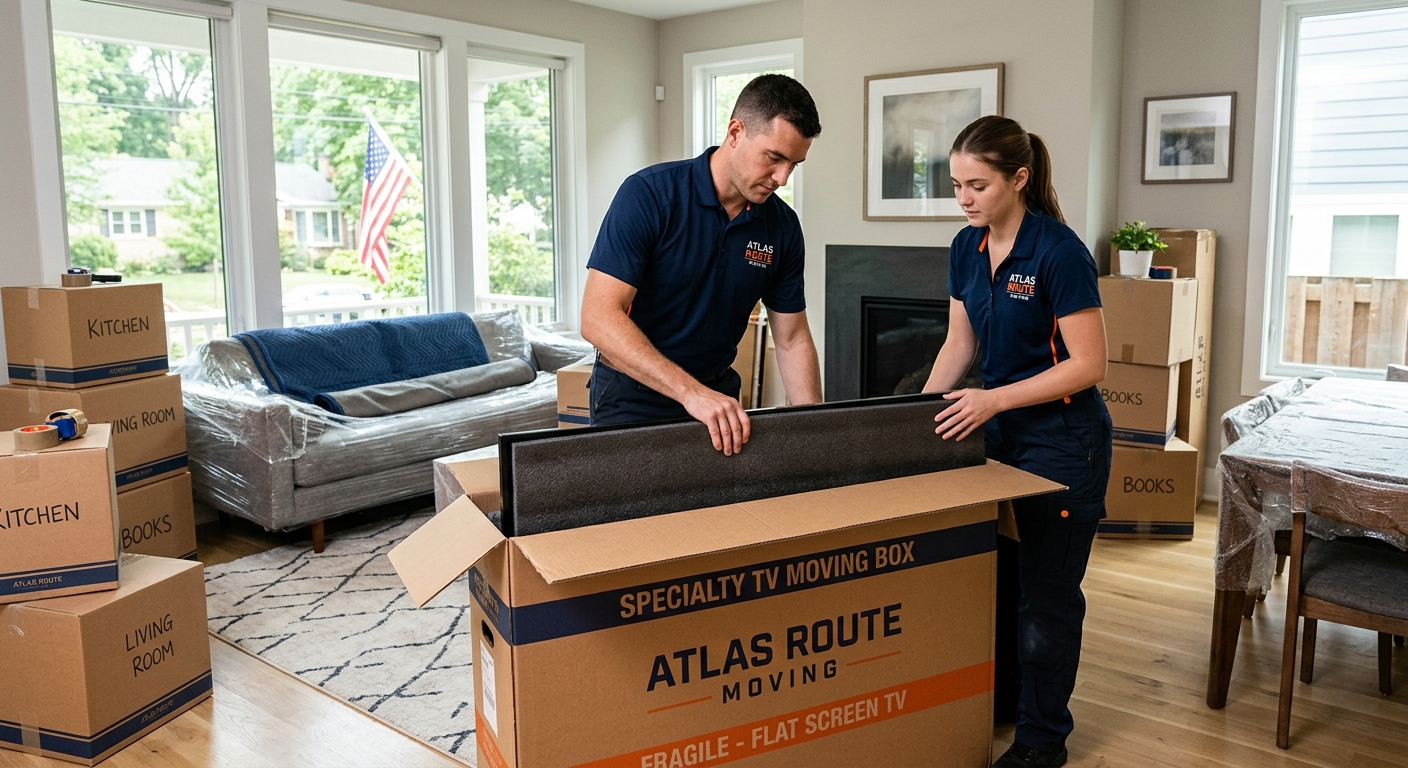
Flat screen TVs are one of the most stressful items to move. They are thin, fragile, expensive, and surprisingly easy to damage if they are packed or lifted the wrong way. A small crack in the screen, a bent corner, or a jolt during transport can easily turn a working television into an expensive piece of e-waste.
Knowing exactly how to pack a TV for moving without damage is about more than just wrapping it in a blanket and hoping for the best. It involves using the right packing method for your situation, understanding how to position and load the TV, and planning how it will be handled from the moment it is unplugged until it is set up in your new home.
This in-depth guide from Atlas Route Moving walks you step by step through how to pack a TV for moving, whether you still have the original box or you are using a generic TV moving box or blanket-and-wrap method. You will learn how to disconnect and organize cables, protect the screen, keep the TV upright, and avoid the most common mistakes that lead to damage.
Along the way, you will also see where professional help can make sense, including when it may be worth having our crew handle TV packing as part of professional packing services. The goal is simple: give you a clear, practical plan so your television arrives at your new place ready to plug in and enjoy.
Key takeaways
- Always pack and transport a flat screen TV upright, never flat, to reduce screen stress and impact risk.
- The original TV box with molded foam is the safest option, but quality TV moving boxes and proper padding can work very well.
- Protect the screen with foam sheets or thick bubble wrap; avoid putting tape or pressure directly on the display surface.
- Label and bag all cables, remotes, and mounting hardware so setup in your new home is quick and frustration-free.
- Secure the TV so it cannot slide or tip in the truck; even a well-wrapped TV can be damaged if it shifts during transit.
- When in doubt, have trained movers or professional packers handle high-value TVs, especially for long-distance or interstate moves.
- Planning your TV packing a few days before move day helps you avoid rushed shortcuts that often lead to damage.
Why careful TV packing matters
Modern televisions look slim and sturdy, but inside the frame are delicate components, glass, and electronics that do not handle twisting or impact well. Whether you are moving locally across town or planning a long-distance move to another state, your TV is going to experience vibrations, bumps, and changes in temperature.
Understanding how to pack a TV for moving is important because:
- Screens are fragile. OLED, LED, LCD, and plasma screens can crack or pixelate from relatively light pressure or flexing.
- Frames are not load-bearing. The slim bezel is not designed to support weight, especially if the TV is laid flat.
- Electronics are sensitive. Jars, drops, and static can damage internal boards or connections.
- TVs are high-value items. Replacing a large flat screen can easily cost hundreds or thousands of dollars.
Additionally, many manufacturer warranties and some protection plans do not cover damage from improper moving or packing. That means if the TV is broken because it was laid flat in a car trunk or tossed into the back of a truck unprotected, it is likely not covered.
Spending a bit more time and care on your TV now can prevent a disappointing surprise after a long day of moving.
Prep steps before you pack a TV
Before you grab a roll of tape, it helps to organize your TV and its accessories. A few orderly steps up front make packing smoother and setup at your new place much easier.
1. Take photos of your setup
Before unplugging anything, take clear photos of:
- The back of the TV showing where each cable is plugged in.
- The streaming devices, sound bars, or gaming consoles connected to it.
- Any unique wall mount or stand setup.
These reference photos will make it faster to reconnect everything correctly later.
2. Power down and cool off
- Turn off the TV and all connected devices.
- Unplug the power cord from the wall and from any surge protector.
- Let the TV cool for at least 10–15 minutes before handling, especially if it has been on for a long time.
3. Disconnect devices and accessories
Carefully disconnect:
- HDMI cables
- Streaming sticks or boxes
- Game consoles
- DVD/Blu-ray players
- Sound bars or external speakers
- Ethernet cables
- Antenna or cable lines
As you unplug each item, consider labeling each cable at both ends with masking tape and a marker, such as:
- «TV HDMI 1 – Game Console»
- «TV HDMI 2 – Streaming Box»
- «Sound bar to TV»
4. Organize cables and small parts
- Coil each cable loosely (do not over-bend or kink).
- Secure each coil with a soft Velcro strap or a twist tie.
- Place remotes, batteries, and cables in a labeled zip-top bag or small box.
- Label it something like «Living Room TV cables».
Keeping everything together may save a lot of time later when you are tired after moving and just want your TV working.
5. Remove the TV from the wall mount or stand
If your TV is wall-mounted:
- Have at least one other person support the TV while you remove it.
- Follow the mount manufacturer instructions to lift and detach the TV.
- Place the TV gently on a clean, soft surface (such as a bed or padded table) while you prepare packing materials.
If the TV is on a stand:
- Clear the area around the TV to avoid bumping into furniture.
- Lift carefully from the bottom edges with two hands, keeping the TV vertical.
- Place it on a soft padded surface.
Remove the stand base or legs if possible and pack them separately with their hardware (screws, brackets) in a labeled bag.
Supplies you need to pack a television
The exact supplies depend on whether you have the original box or are using a universal TV moving box or blanket-wrap method, but in general you will need:
- Sturdy TV moving box (original or universal) sized for your screen
- Foam corner protectors or molded foam inserts (if available)
- Soft foam sheets or clean moving blankets
- Small and large bubble wrap (anti-static if possible)
- Packing tape and painter’s or masking tape
- Cardboard sheets or flat pieces for extra reinforcement
- Plastic stretch wrap (optional but helpful)
- Zip-top bags and a permanent marker for hardware and cables
To help you compare options for how to pack a TV for moving, here is a quick overview of packing methods and what you need for each.
| Packing method | Best for | Key supplies |
|---|---|---|
| Original TV box | Short and long-distance moves where original packaging is available | Original box, molded foam, screen bag, packing tape |
| Universal TV moving box | Moves without original box but with time to buy proper supplies | Adjustable TV box, foam corners, foam sheets, tape |
| Blanket and wrap method | Local moves or when no box is available and space is tight | Moving blankets, bubble wrap, stretch wrap, cardboard sheets, tape |
If you are working with Atlas Route Moving, you can ask about having our crew bring the right TV moving box and materials as part of your move or as part of full or partial packing.
How to pack a TV using the original box
When you still have the original box and molded foam inserts, that is usually the safest and most straightforward way to pack a television. Manufacturers design these boxes specifically to protect the TV in transit.
Step 1: Inspect the box and inserts
- Check the box for water damage, tears, or crushed corners.
- Make sure foam inserts, screen sleeves, and corner pieces are intact.
- If anything is damaged, reinforce weak spots with extra cardboard and tape, or supplement with bubble wrap.
Step 2: Wrap and protect the screen
- Place a clean, soft foam sheet or the original screen sleeve over the front of the TV.
- If you do not have the original sleeve, layer a sheet of large bubble wrap (bubbles facing away from the screen) over the display.
- Secure the covering with painter’s tape or stretch wrap around the frame, not directly on the screen.
Step 3: Attach corner and edge protectors
- Fit the original foam corner pieces or protective bumpers onto the TV.
- If any corners are missing, substitute with thick bubble wrap or custom-cut foam.
- Make sure the protectors fit snugly without compressing the screen.
Step 4: Place the TV into the box
- Stand the box upright and open the top flaps fully.
- With a helper, lift the TV from the bottom edges and slide it gently into the box, keeping it upright.
- Ensure the TV fits firmly between the foam inserts with minimal side-to-side movement.
Step 5: Fill small gaps
- Use additional foam, bubble wrap, or crumpled packing paper to fill any noticeable gaps.
- Aim for a snug fit so the TV cannot shift inside the box during transit.
Step 6: Seal and label the box
- Close all flaps and tape thoroughly along every seam, especially the bottom.
- Add extra tape reinforcement in an «H» pattern across the top and bottom.
- Label both sides: «FRAGILE – TV – THIS SIDE UP – KEEP UPRIGHT».
Now your TV is ready to be loaded and transported upright in the moving truck.
How to use a universal TV moving box
If you no longer have the original packaging, a universal TV moving box is often the next best way to pack a TV for moving. These boxes are designed to adjust to different TV sizes and provide a rigid, protective shell around your television.
Step 1: Measure your TV
- Measure the diagonal screen size (in inches) to choose the correct box range (e.g., 40–55″, 55–70″).
- Also measure height and width to confirm the TV will fit with padding.
Step 2: Assemble the TV moving box
- Follow the box instructions to assemble the base and top sections.
- Reinforce the bottom with extra strips of tape inside and out.
- Pre-fold the top so it will be easy to close once the TV is inside.
Step 3: Wrap the TV
- Cover the screen with a foam sheet or large bubble wrap, again with bubbles facing outward.
- Wrap the entire TV in at least one full layer of large bubble wrap, focusing on the corners.
- Secure the wrap with tape along the back and sides, avoiding any tape on the screen.
Step 4: Add corner and edge protectors
- Attach foam corner protectors that came with the box, or use purchased corner guards.
- Ensure each corner is cushioned and there are no exposed sharp edges.
Step 5: Place the TV in the box
- Stand the bottom section of the TV moving box upright.
- With two people, carefully lower the wrapped TV straight down into the box, keeping it vertical.
- Slide foam spacers or additional padding on both sides if included.
Step 6: Adjust and secure the box
- Slide the top section of the box down over the TV until it overlaps securely with the bottom section.
- Use tape to secure the overlapping area around the entire perimeter of the box.
- Test by gently rocking the box; the TV should not move noticeably inside.
Step 7: Label clearly
- Mark all sides with «FRAGILE – TV» and arrows indicating «THIS SIDE UP».
- Add the room name (e.g., «Living Room») to simplify unloading.
This method is especially helpful when you need to move a flat screen TV during a long-distance or interstate move, where the TV may be loaded and unloaded multiple times.
Blanket and wrap method if you have no box
Sometimes, despite your best planning, you do not have a suitable TV moving box. For local moves, or when space and budget are tight, a careful blanket-and-wrap method can still protect your TV when done correctly.
Step 1: Prepare a padded surface
- Lay a thick moving blanket or quilt on a flat, clean surface like the floor or a bed.
- Make sure the area is clear of debris and sharp objects.
Step 2: Wrap the screen
- Place a sheet of foam or bubble wrap over the screen.
- Use painter’s tape or stretch wrap to secure the protective layer around the frame.
Step 3: Wrap in blankets
- Stand the TV upright in the center of the moving blanket.
- Fold the blanket snugly around the TV from both sides, like wrapping a present.
- Use additional blankets if needed to create a thick, cushioned layer.
Step 4: Secure with tape or stretch wrap
- Use stretch wrap or tape around the outside of the blanket to keep it tightly in place.
- Avoid taping directly to the TV frame if you are concerned about finish marks; tape only on the blanket.
Step 5: Add cardboard for structure (recommended)
- For extra protection, sandwich the blanketed TV between two large flat cardboard pieces.
- Use tape or stretch wrap to secure the cardboard panels around the TV.
This creates a semi-rigid shell that helps protect against punctures or impacts during the move.
When is the blanket method appropriate?
The blanket-and-wrap method works best when:
- You are moving locally with direct loading from your old home to your new one.
- You can ensure the TV is strapped securely upright in the moving truck.
- You are able to supervise loading and unloading to prevent stacking on top of the TV.
For long-distance or multi-day moves, a proper TV moving box is usually the safer choice.
How to move a flat screen TV upright and safely
Many people focus on packing materials but overlook how they load and position the TV in their vehicle or moving truck. To truly protect a TV when moving, you need both good packing and proper transport.
Why you should keep your TV upright
Manufacturers generally recommend keeping flat screen TVs upright because:
- The weight distribution and internal glass or panel are designed for vertical orientation.
- Laying a TV flat can increase stress on the screen, especially if it is not perfectly supported.
- Other items may accidentally get stacked on top, causing cracks or pressure damage.
Best practices for loading a packed TV
- Place the TV in a low-risk area. Position the packed TV against a solid wall of the truck, not in the center where items shift more.
- Keep it off the floor if possible. Use furniture or boxes as a base to raise the TV slightly, while still keeping it upright and stable.
- Strap it in. Use ratchet straps or tie-downs to secure the TV box or blanketed TV to the wall or anchor points.
- Do not stack heavy items against it. Only place light, soft items nearby, such as sofa cushions or bedding.
Transporting a TV in a car or SUV
If you are using your own vehicle:
- Fold down seats as needed to allow the TV to stand upright.
- Never force a TV to lay flat in a trunk if it does not fit upright.
- Use seatbelts, blankets, and pillows to secure the TV and prevent tipping.
- Make gentle turns and avoid hard braking.
Example TV loading setup
| Location | TV position | Support items |
|---|---|---|
| Moving truck | Upright against wall, toward front of truck | Tie-down straps, sofa back, light boxes, cushions |
| SUV or minivan | Upright behind front seats or in cargo area | Blankets, pillows, seatbelts, bungee cords |
| Sedan | Often not ideal for larger TVs; consider truck transport | If small TV, upright in back seat with belt and padding |
Handling cables, remotes, and wall mounts
Even when people do a great job of protecting the TV screen, they often end up with a tangle of cords or missing mounting screws at the new home. A few simple systems keep everything organized.
Organizing cables and remotes
- Group cables by device (e.g., TV, game console, sound bar).
- Label each cable with masking tape and a short description.
- Place remotes for each TV and device into one clearly labeled bag.
- Pack this bag in a «first night» or electronics essentials box rather than deep in the truck.
Sample label text: «Living Room TV – Power + Remote + HDMI 1 (Streaming) + HDMI 2 (Game)»
Handling TV power cords
- If the power cord detaches, tape it to the back of the TV (under the wrapping) or keep it in the same bag as the remote.
- If it is permanently attached, coil it gently and secure it with a soft tie before wrapping the TV.
Packing wall mounts and hardware
- Remove the wall plate and arms only after the TV has been safely taken down.
- Place screws, bolts, and washers in a small labeled bag: «Living Room TV wall mount hardware».
- Either tape the bag securely to the mount or place it in your electronics essentials box.
- Wrap the mount itself in bubble wrap or a small blanket and pack it with tools or hardware items.
Common TV packing mistakes and how to avoid them
Knowing how to pack a TV for moving includes understanding what not to do. Here are some of the biggest mistakes our crews see and how to avoid them.
| Common mistake | What can happen | Better approach |
|---|---|---|
| Laying the TV flat in a car trunk or truck | Screen flexes and may crack; items can be stacked on top accidentally | Always transport upright, secured to a wall or seat, with no weight on top |
| Wrapping only in a thin blanket without padding | Insufficient impact protection; corners and edges are vulnerable | Use foam or bubble wrap on screen and corners, plus thick blankets |
| Taping directly to the screen or bezel | Adhesive residue, surface damage, or pulled pixels when removed | Tape only on protective materials (foam, blankets, cardboard) |
| Leaving cables and remotes loose | Lost accessories, tangled cords, frustrating setup at new home | Bag and label cables/remotes, keep in an easily accessible box |
| Placing the TV where heavy furniture can shift into it | Cracked screen or crushed corners during a sudden stop or turn | Strap the TV securely, surround only with light, soft items |
By planning around these risks, you greatly increase the chances that your TV will arrive in good condition.
When to hire professional packers for your TV
There is no single right answer for whether you should pack your own TV or rely on professional movers. It depends on your comfort level, the value of your TV, and the complexity of your move.
Good reasons to let pros pack your TV
- High-value or oversized TV. If you have a large OLED or premium flat screen, the cost of professional packing may be small compared to the cost of replacement.
- Interstate or long-distance moves. The longer and more complex the route, the more you benefit from expert packing and loading.
- Limited time or help. If you are moving on a tight schedule or do not have another person to assist, pro packers can make things smoother.
- Multiple fragile electronics. When you have home theater systems, projectors, or multiple TVs, it may be easier to have one crew handle everything consistently.
How Atlas Route Moving handles TV packing
When customers ask Atlas Route Moving to pack a television, our crews typically:
- Assess the size and type of TV and the available packaging (original box vs. universal TV moving box).
- Use high-quality padding on the screen and corners.
- Pack and label cables, remotes, and mounts clearly.
- Load the TV upright in a protected location on the truck with proper tie-downs.
We can include TV packing as part of full-house packing or as a targeted, partial packing service if you only want help with your most fragile or high-value items. You can request TV packing specifically when you talk with our team about professional packing services.
Self-pack vs. pro-pack comparison
| Option | Pros | Considerations |
|---|---|---|
| Self-packing your TV | Lower cost, flexible timing, full control over materials | Requires time, effort, and proper supplies; risk if done incorrectly |
| Professional TV packing | Experienced handling, right materials, efficient process | Added service cost; needs to be scheduled before move day |
Unpacking and setting up your TV after the move
Once you arrive at your new home, carefully reversing your packing steps helps avoid last-minute damage and gets you back to watching your favorite shows quickly.
1. Let the TV acclimate
- If the TV has been in a very cold or hot truck, let it sit in the new home at room temperature (unplugged and boxed) for a few hours before plugging it in.
- This can help avoid condensation issues inside the electronics.
2. Unpack in a clean, open space
- Choose a room with enough space to maneuver and a clean, soft surface.
- Open the box or unwrap blankets carefully, avoiding sharp tools near the screen.
3. Reattach stand or wall mount
- Install the stand or base on a sturdy piece of furniture or assemble the wall mount according to instructions.
- Confirm that studs are located properly if remounting to a wall.
4. Reconnect cables and devices
- Use your labeled cables and pre-move photos to match each cord to the correct port.
- Connect power, HDMI, Ethernet, and audio cables securely.
- Insert fresh batteries into remotes if needed.
5. Test carefully
- Turn on the TV and cycle through the inputs to confirm that each device works.
- Check for picture or sound issues that might indicate a connection problem.
- If something looks off (lines, flickering), double-check cable seating before assuming there is screen damage.
How Atlas Route Moving can help
Knowing the steps for how to pack a TV for moving is important, but you do not have to handle everything alone. Many customers prefer to pack simpler items themselves and let a professional crew handle delicate or high-value pieces like televisions, artwork, and glass.
Atlas Route Moving provides:
- Local and long-distance moving services for apartments, houses, and offices.
- Careful handling of electronics, including TVs, monitors, and home theater components.
- Optional professional packing services for your entire home or select fragile items.
- Secure loading and unloading, keeping TVs upright and properly secured on the truck.
If you would like help planning your move or want to include TV packing in your estimate, you can review our moving services, use the online moving cost calculator, or request a free moving quote. Our team can talk through your TV size, access at both homes, and the rest of your inventory so we can recommend the right approach.
Helpful Atlas Route Moving services
Frequently asked questions
Can I lay my TV flat to move it if it is well padded?
It is not recommended. Even with padding, laying a flat screen TV flat can put uneven pressure on the glass and internal components, increasing the risk of cracks or damage. Keeping the TV upright and well secured is a much safer approach.
Do I really need a special TV moving box?
You do not always need a dedicated TV moving box, but it is one of the best ways to protect your TV, especially for long-distance moves. If you do not have the original box, a quality TV moving box or a carefully executed blanket-and-cardboard method can work if the TV is kept upright and strapped securely.
How do I protect the TV screen when moving?
Cover the screen with a soft foam sheet or large bubble wrap with the bubbles facing away from the display. Then wrap the entire TV in bubble wrap and/or thick moving blankets. Avoid taping directly to the screen surface.
Is it safe to move a TV in my car or SUV?
Yes, as long as the TV is properly packed, kept upright, and secured so it cannot tip or slide. Use seatbelts, blankets, and pillows to stabilize the TV and avoid laying it flat in the trunk.
How early should I pack my TV before moving?
Many people pack their TV one to three days before move day, once they are comfortable going without it. This gives you time to pack carefully without rushing and to organize cables and accessories.
What should I do with the wall mount when moving?
Remove the TV from the mount first, then take down the mount hardware. Bag all screws and small parts and label them clearly. Wrap the metal mount in bubble wrap or a blanket and pack it with tools or hardware so everything stays together.
Should I insure my TV for a long-distance move?
For long-distance or interstate moves, it often makes sense to review valuation or coverage options for high-value electronics. Talk with your moving company about available protection and review your own insurance policies to understand what is and is not covered.
Can Atlas Route Moving pack just my TV and a few fragile items?
Yes. You do not have to choose full packing to get help with your TV. Atlas Route Moving can include TV packing, artwork, mirrors, and other fragile items as part of a partial packing service tailored to your needs.
Related moving guides
Sources referenced in this guide
This guide is based on the day-to-day experience of professional moving crews, along with general consumer guidance from:
- Federal Motor Carrier Safety Administration consumer guidance on moving household goods
- U.S. Department of Transportation moving guidance and best practices
- Manufacturer recommendations in TV user manuals and packaging instructions
- Written moving estimates, bills of lading, and carrier service agreements
- Building management rules for move-in and move-out procedures in apartments and condos
For specific warranty or coverage details for your television, review the manufacturer documentation and any extended protection plans you may have.
This guide is general moving information, not legal, insurance, or regulatory advice. Moving requirements, pricing, access rules, and coverage options may vary by location, move type, building rules, and service agreement.
Return to Atlas Route Moving home or visit the Atlas Route Moving blog for more practical moving guides.